Group-memberships (teams) management
A team manager creates an invitation. The invitee previews its code with resource context and accepts it using their own active identity. Those are separate permissions and outcomes; a team listing is not a management grant.
| Value / actor | Meaning | Used by |
|---|---|---|
| Team ID 1001 | Team record | Team list/management/invitation path. |
| Member user ID | Person record | Team membership management; never substitute a relationship ID. |
| Team relationship ID | User↔team relationship | Internal linkage distinct from user/team IDs; activation creates or updates it. |
| Invite ID 3001 | Managed invitation record | Invite management; not the code accepted by invitee. |
| Returned invite code | Redeemable invitation input | Validation and activation body invite; not a member token. |
Pricing ID 2001 / subscription_id | Configured publisher Pricing | Invitation eligibility/membership selection; each Plan has many Pricings. Not an existing membership ID. |
| Manager token | Existing member context with action eligibility | Create/manage intended team invitations. |
| Invitee token | Intended recipient’s active member context | Activation; determines comparison email. |
| Resource key | Selected resource context | Validation scope and invite creation storage; not an identity credential. |
What does each step establish?
- List teams as the manager. An owner/admin role selects list rows, even without active/status/resource filtering. Check action eligibility before changing a team.
- Create invitation for reader@example.com and an eligible free Pricing. Retain returned invite ID and generated code separately. HTTP 201 describes a record and attempted queue event, not delivered email or reserved seat.
- Validate code under the issuer’s resource. The code, window, cap and conditional email/domain/team-capacity checks can pass without identity when no email is supplied. Use intended email, but do not call it verified ownership.
- Activate with reader@example.com’s active member context. Checks run again; writes can attach/reactivate team and conditionally replace/create memberships. Team-linked result has
subscription_id:null. Paid invite Pricing has no active checkout branch; result:true does not prove entitlement/payment.
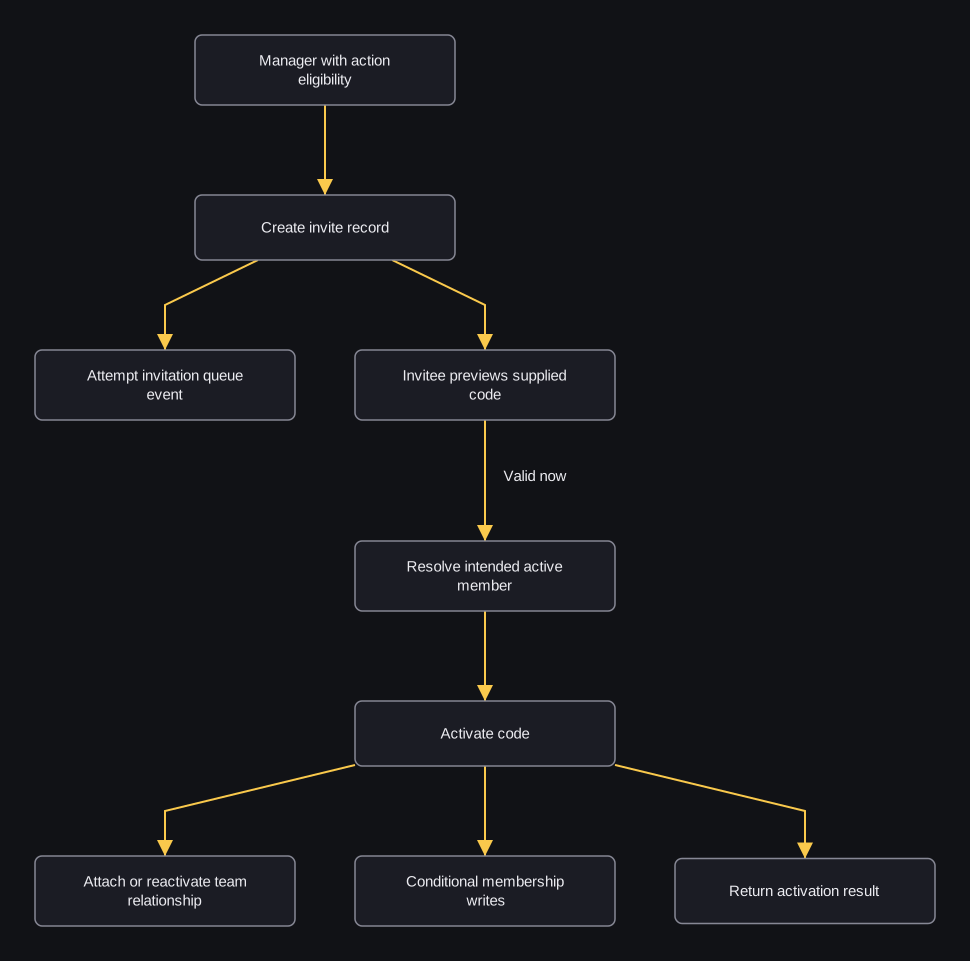
flowchart TD
    M[Manager with action eligibility] --> C[Create invite record]
    C --> Q[Attempt invitation queue event]
    C --> V[Invitee previews supplied code]
    V -->|Valid now| I[Resolve intended active member]
    I --> A[Activate code]
    A --> T[Attach or reactivate team relationship]
    A --> P[Conditional membership writes]
    A --> R[Return activation result]
The queue arrow is an attempt, not a delivered-mail guarantee. Preview does not reserve capacity, consume activation or sign in a person.
Activation looks up the code separately, without the earlier resource filter. If codes collide, it can select a different invite from validation. Some writes are not checked, database transactions can be nested, and external events can fail separately. Do not assume all changes succeed together or that retrying is safe. Membership replacement can affect existing account/sponsorship relationships. Request a separate content-access decision when needed.
Choose a team-management task
| Need | Operation | Meaning |
|---|---|---|
| Create a company team | Create | Saves team/owner; no Pricing purchase, invitation or partner link automatic. |
| Change name/description/type | Update | The reviewed source does not establish that this operation completes successfully. A change can be saved before it fails. Capacity, Pricing, active and never_lock changes are ignored. |
| Inspect associated users/invites | Detail | All relationships, not a guaranteed active/resource-filtered view; check returned ID. |
| Inspect invitation usage | Invite list | Paged records with count/used, no delivered-mail/available guarantee. |
| Inspect one invite/code | Invite detail | Record must belong to selected team. |
| Delete intended team record | Delete | Boolean model-delete outcome, no universal dependent cleanup/refund/user deletion. |
Edit, remove or resend an invitation?
| Task | Start here | What remains separate |
|---|---|---|
| Change recipient/title/Pricing | Update invite | No active resend; email/domain checks differ from creation. |
| Delete invite record | Delete invite | No member/membership removal or email recall. |
| Send another notification attempt | Member-route resend | No usage/window/domain/capacity reset or delivery guarantee. |
| Use admin-prefix credential resolution | Admin-prefixed resend | Same action/user ACL and guards; prefix alone is not admin permission. |
Change team participation without deleting the person
| Need | Start here | Meaning / limit |
|---|---|---|
| List non-owner people | Member list | No returned role/status expansion; removed/suspended rows can appear. |
| Inspect one linked person’s account | Member detail | Resource memberships/partner teams, not only selected-team state. |
| Change role or status | Update member | Can demote owner without last-owner guard. New Pricing assignment reaches disabled checkout; role/status attempt precedes it. |
| Mark removed | Remove | Keeps person/relationship, changes status; owner guard requires another owner role, not active replacement. |
| Mark suspended | Suspend | Keeps records, changes status; no global user suspension or refund. |
Removal, suspension, invite deletion and team deletion have different effects. These status routes do not explicitly delete existing memberships or revoke all content access. Renewal handling can skip nonactive team relationships; request the separate access decision when serving content. Ticket/pass and sponsored-slot workflows are separate jobs; these IDs and permissions are not substitutes for their credentials.